|
|||||||||||||||
 |
|
 |
|||||||||||||
 |
|
 |
|||||||||||||
 |
|||||||||||||||
| |
|||||||||||||||
|
|
|
|||||||||||||
|
|
|
|||||||||||||
|
|||||||||||||||
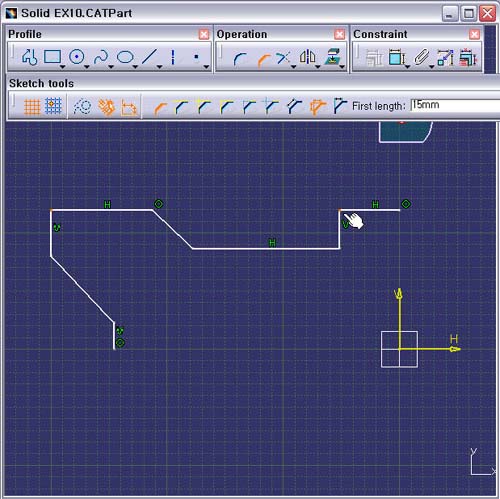
1. 다음과
같은 Chamfer 작업이 되어질 두 모서리를 마우스로 미리
선택을
한다.
Ctrl 키를 누르고 있으면서 두 Point를
선택한다.
2. Operation Tools Tool Bar의 Chamfer 아이콘을 선택한다.
3. Sketch Tools Tool Bar의 Option에서
Trim All Element 와 First and Second Length를 확인
후,
First Length : 15mm, Tab 키를 누른 후,
Second Length : 15mm Tab 키를 누르면 작업이 완료
된다.